
Download ScanSnap Cloud – Free Cloud Scanning, Secure Document Management
Overview
ScanSnap Cloud is Fujifilm’s dedicated cloud‑based companion for the iX Series of ScanSnap scanners. Designed for users who want a paper‑less workflow without the hassle of a desktop computer, the app connects your scanner directly to the cloud and automatically sorts each page into logical categories. Whether you’re a busy professional, a student, or a home‑office user, ScanSnap Cloud lets you scan, store, and retrieve unlimited documents from any device with an internet connection.
The service is completely free, offers end‑to‑end encryption, and integrates with popular storage providers such as Google Drive, Dropbox, OneDrive, and Box. By eliminating the need for local storage, ScanSnap Cloud helps you keep your workspace tidy, reduces the risk of data loss, and ensures that every scan is instantly searchable thanks to built‑in OCR (optical character recognition). The platform also supports batch scanning, multi‑page PDFs, and a variety of file formats (JPG, PNG, TIFF, and more), making it a versatile tool for everything from receipts and invoices to contracts and academic papers.
Because the cloud app runs on the scanner itself, you can place the device on a shelf, press the scan button, and have the file appear in your cloud folder within seconds—no PC, no driver installation, and no complicated setup.
Key Features & Compatibility
- **Direct Cloud Connection** – Scans are uploaded straight from the iX Series to your chosen cloud storage without a PC.
- **Unlimited Free Storage** – No hidden caps; store as many documents as you need.
- **Automatic Categorisation** – AI‑driven sorting creates folders for receipts, business cards, contracts, and more.
- **Built‑in OCR** – Every page becomes searchable text, enabling quick keyword searches across all files.
- **Multi‑Platform Sync** – Access scans from Windows, macOS, iOS, Android, and web browsers.
- **Secure Encryption** – TLS 1.2 encryption during transfer and AES‑256 at rest.
- **Batch Scanning & PDF Creation** – Combine multiple pages into a single PDF with bookmarks.
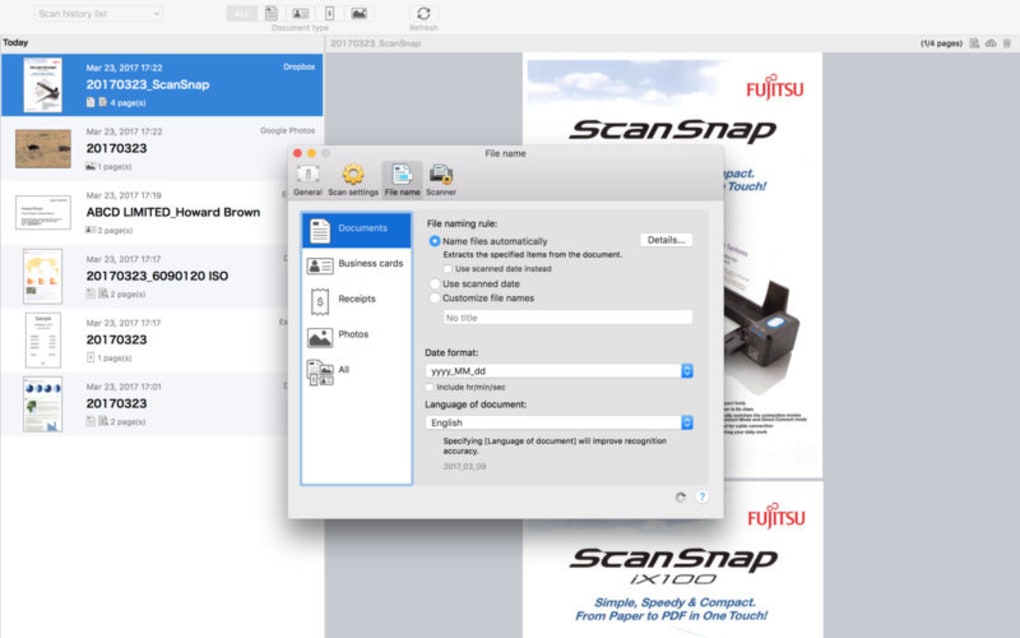
- **Custom Naming Rules** – Define file‑naming conventions based on date, source, or custom tags.
- **Integration with Major Cloud Services** – Google Drive, Dropbox, Microsoft OneDrive, Box, and more.
- **Zero‑Setup Firmware Updates** – The scanner receives over‑the‑air updates to keep the cloud app current.
The application is built into the firmware of Fujifilm ScanSnap iX500, iX700, and later models. It supports the following operating systems for companion apps and web access:
Windows 10 and 11, macOS 10.15 Catalina and later, iOS 13 or newer, Android 8 or newer, and any modern web browser (Chrome, Edge, Safari, Firefox).
Installation & Usage Guide
Getting started with ScanSnap Cloud is intentionally straightforward. Follow these steps to ensure a smooth experience:
- Update Your Scanner Firmware – Connect the iX scanner to a computer (or use the ScanSnap Manager app) and run the latest firmware update from Fujifilm’s support site. This ensures the cloud feature is enabled.
- Create a Fujifilm Cloud Account – Visit the ScanSnap Cloud portal, sign up with your email, and verify the account. You’ll be prompted to link one of the supported cloud storage providers.
- Link Your Cloud Service – After logging in, choose Google Drive, Dropbox, OneDrive, or Box. Grant the required permissions so ScanSnap Cloud can write files directly to your storage.
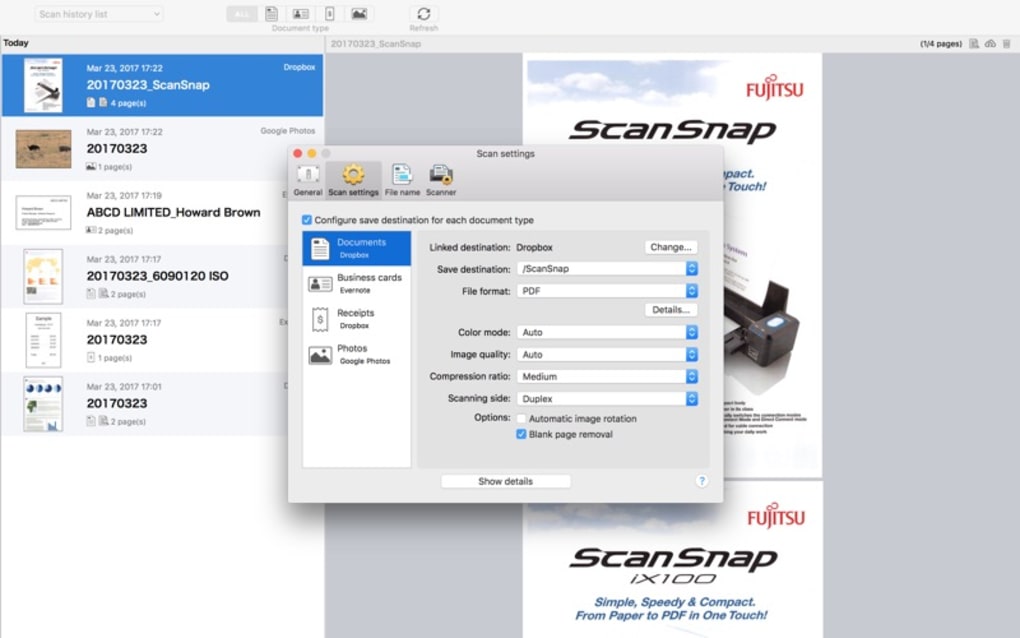
- Configure Scanning Preferences – Within the web dashboard, set default file formats (PDF, JPEG, etc.), OCR language, and naming conventions. You can also enable automatic categorisation or turn it off for manual folder control.
- Start Scanning – Place the document in the feeder, press the Scan button on the iX scanner, and watch the status LED turn green. The scan is uploaded in real time, and a notification appears on your linked devices.
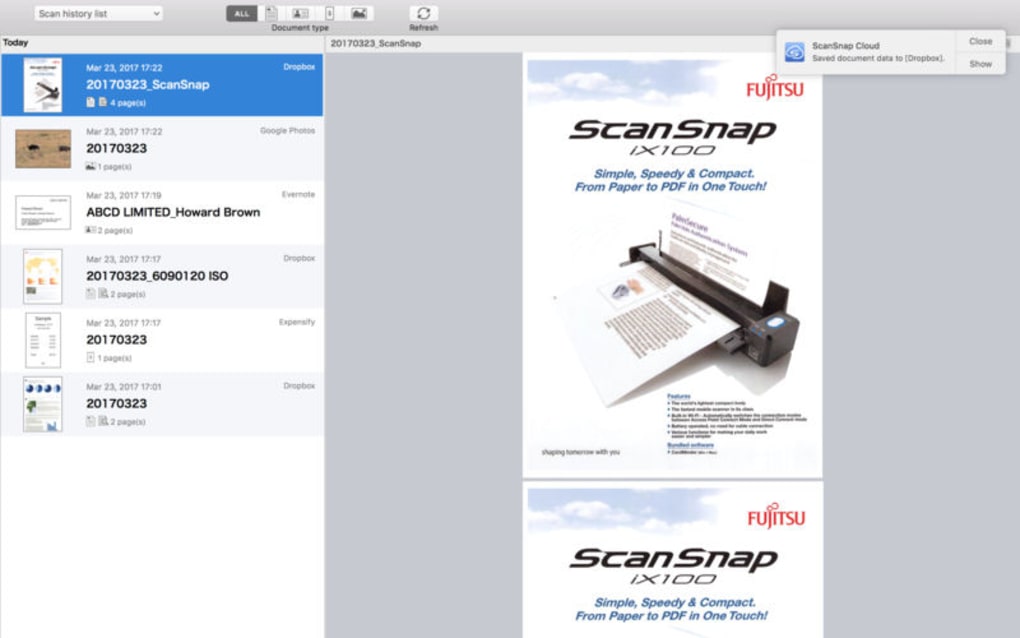
- Access & Manage Files – Open the cloud storage app on any device, locate the “ScanSnap” folder, and you’ll see sub‑folders created by the AI (e.g., “Invoices”, “Receipts”). Use the search bar to locate text within PDFs thanks to OCR.
- Maintain Security – Periodically review the access permissions in your cloud provider’s settings and rotate your ScanSnap Cloud password every six months.
Because the workflow bypasses a PC, you can keep the scanner on a shelf or mount it behind a monitor, freeing up valuable desk space. For teams, multiple users can share the same cloud folder, making collaboration on scanned documents seamless.
Pros and Cons
Pros
- Completely free with unlimited storage.
- No computer required – direct scanner‑to‑cloud workflow.
- AI‑driven automatic categorisation saves time.
- Robust OCR makes every document searchable.
- Strong security with TLS 1.2 and AES‑256 encryption.
- Wide compatibility across Windows, macOS, iOS, Android, and web.
- Easy integration with the most popular cloud storage services.
- Regular firmware updates keep the app current without user intervention.
- Batch scanning and custom naming rules support professional workflows.
- Intuitive web dashboard for managing settings and viewing scan history.
Cons
- Only compatible with Fujifilm ScanSnap iX series; older models lack cloud support.
- Requires a stable internet connection for every scan.
- Limited advanced editing tools compared to full‑featured desktop scanning software.
- Initial cloud account creation adds an extra step for new users.
- Some users report occasional delays when uploading very large PDF batches.
Frequently Asked Questions
Is ScanSnap Cloud really free, or are there hidden fees?
Yes, ScanSnap Cloud is completely free for unlimited use. Fujifilm does not impose storage caps, subscription fees, or per‑scan charges. The only costs you might incur are those associated with your chosen cloud storage provider (e.g., if you exceed the free tier of Google Drive).Can I use ScanSnap Cloud with a scanner that is not part of the iX series?
No. The cloud functionality is built into the firmware of the ScanSnap iX500, iX700, and newer iX models. Older ScanSnap devices rely on the ScanSnap Manager software and require a computer to upload files.What happens to my scans if my internet connection drops mid‑upload?
The scanner caches the scanned image locally and automatically resumes the upload once the connection is restored. No data is lost, and you will see a “pending” status in the web dashboard until the transfer completes.Does ScanSnap Cloud support multi‑language OCR?
Yes. The OCR engine includes support for English, Spanish, French, German, Italian, Japanese, Chinese (Simplified), and many other languages. You can select the desired language in the scanning preferences.Can I share scanned documents with teammates without giving them a Fujifilm account?
Absolutely. Since scans are stored in your linked cloud service, you can share folders or individual files using the native sharing features of Google Drive, Dropbox, OneDrive, or Box. Recipients only need access to the cloud storage, not a ScanSnap Cloud account.Conclusion & Call to Action
ScanSnap Cloud delivers on the promise of a truly paper‑less office by marrying Fujifilm’s reliable hardware with a seamless, free cloud service. Its strength lies in simplicity: you place a document in the feeder, press a button, and the file appears instantly in your preferred cloud storage, fully searchable thanks to OCR. For users who already own a ScanSnap iX series scanner, the transition to a computer‑free workflow is a game‑changer, especially in environments where desk space is premium or where multiple users need quick access to shared documents.
While the requirement for an iX‑compatible scanner and a constant internet connection are the primary limitations, the overall value proposition—unlimited free storage, strong security, and AI‑driven organisation—makes ScanSnap Cloud a compelling addition to any productivity toolkit. If you’re ready to declutter your desk, speed up document handling, and keep your files safely backed up in the cloud, there’s no better time to activate ScanSnap Cloud.
Ready to experience hassle‑free scanning? Click the button below to download the latest firmware, create your free ScanSnap Cloud account, and start scanning directly to the cloud today.







